
ProKure G coverage calculator: size your room in cubic feet, get the right SKU
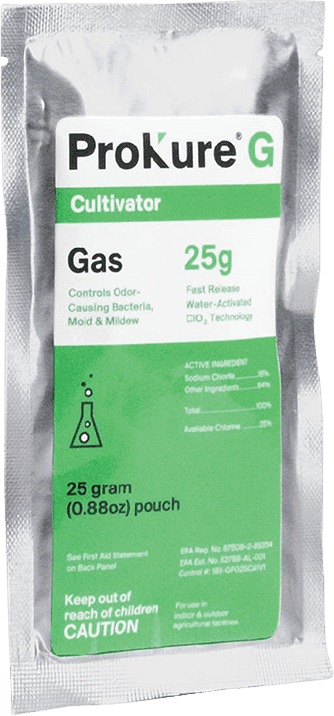
To size ProKure G, measure your room's length, width, and height in feet, multiply them for cubic feet, then match the volume to a SKU: a 25g packet covers up to 2,250 cubic feet for standard sanitation, a 10g packet covers up to 1,000. For a heavy mold load you de-rate the coverage, so a 25g covers about 1,000 cubic feet and a 10g about 500. Round up to the next full packet, never under-dose, and remember ProKure G runs in an empty room. The label restriction is "Not for use with/on plants/crops/feed."
That is the whole method. Below is the coverage table, the math, how to pick standard versus heavy mode, how to handle a room that falls between SKU sizes, and the compliance facts a QA lead needs, so you leave with a packet count and a schedule, not just a product page.
Quick answer: ProKure G coverage per SKU
Put the compliance line first, because it governs everything that follows: "Not for use with/on plants/crops/feed. Always read product labels before use." ProKure G is a fast-release ClO2 gas for an empty room. People, pets, and plants are out for the treatment. With that settled, here is the coverage grid.
A 25g packet covers up to 2,250 cubic feet in standard sanitation mode, and about 1,000 cubic feet when you are treating a heavy mold load. A 10g packet covers up to 1,000 cubic feet standard, and about 500 cubic feet heavy. The reason the number drops in heavy mode is simple: a room with a real mold problem needs a higher effective gas concentration per cubic foot to do the job, so the same packet covers less space. The public product pages and reseller listings only publish the standard numbers, which is fine for routine turnover and misleading the moment you are responding to a failed test.
Keep one thing in mind reading those numbers: they are a coverage ceiling, not a guarantee. A loosely sealed room, a tall ceiling, or connected spaces with open doors all stretch the real volume the gas has to fill. Size to the actual air volume the treatment will reach, which sometimes means more than the room's bare dimensions suggest.
The calculator: measure, multiply, match
The calculator on this page takes three inputs and returns a plan. Enter the room's length, width, and height in feet. Pick a treatment mode, standard sanitation or heavy mold load. Enter how many identical rooms you are treating. The output is the total cubic feet, the recommended SKU, the packet count, the case count at 12 packets per case, and the treatment schedule: a 4-to-6-hour dwell, a one-hour ventilation window, and the earliest re-entry time.
If doors will be open to a hallway, a mezzanine, or connected ductwork during the treatment, add that connected space to the volume, because the gas fills whatever it can reach. A sealed room treats to its own dimensions; an open-door room treats to the larger connected volume, and under-counting that is a common way a treatment comes up short.
The inputs are deliberately the three numbers a grower actually has. You know your room is roughly a 10 by 20 flower room with 10-foot ceilings, so you enter 10, 20, 10, and the tool does the rest. No page in the current search results does this. They all state a fixed coverage number and leave the arithmetic to you.
That gap is worth naming plainly, because it is the reason this page exists. The manufacturer product page lists its coverage as "Coverage: 2,250 ft3 / Pair with: Reusable Gas Dispersion Cup" and stops there. The reseller listings do the same thing a different way: a distributor page states that "The 10-gram Prokure G treats 1,000 cu. ft." and leaves it at that. Both are accurate, and both assume you have already done the cubic-foot math and already know which SKU your room needs. A grower who is still at the "how big is my room in cubic feet, and which packet is that" stage gets a product to buy and no tool to decide with. The calculator closes that gap: dimensions in, SKU and count out.
The schedule output matters as much as the SKU. Knowing you need two 25g packets is only half an operational answer; the other half is when the room comes back online. The tool returns the dwell window and the re-entry time so you can slot the treatment into a turnover day rather than discovering mid-afternoon that the room will not be ready until the next morning. For a facility manager turning several rooms on a rolling schedule, that timing output is the difference between a planned turnover and a scramble.
How the math works
The formula is one line: length times width times height equals cubic feet. A 10 by 20 room with a 10-foot ceiling is 2,000 cubic feet. A 20 by 40 room with a 12-foot ceiling is 9,600.
Then divide the cubic feet by the per-packet coverage for your mode. In standard mode, a 25g covers 2,250, so a 2,000-cubic-foot room needs one 25g packet. In heavy mode, a 25g covers about 1,000, so that same 2,000-cubic-foot room needs two 25g packets. The mode changes the divisor, which changes the packet count, which is exactly why heavy-load dosing has to be visible and not buried.
The rounding rule is the one place operators go wrong, so make it explicit: always round up to the next full packet. A 2,400-cubic-foot room in standard mode is past one 25g's 2,250 rating, so it takes two packets, not one and a half. You cannot half-dose a room, and under-dosing a treatment is worse than buying one extra packet, because an under-dosed reset is a reset that might not hold through the next cycle. Round up, place the packets for even distribution, and you are covered.
Distribution is the quiet half of the math. The cubic-foot number tells you how much gas the room needs; it does not tell you where to put it. In a room that needs more than one packet, spacing the packets evenly matters as much as the count, because gas released from a single corner of a 9,600-cubic-foot room will reach that corner thoroughly and the far wall unevenly. Place multiple packets to split the room into roughly equal zones, run gentle air movement to help the gas settle through the whole volume, and the dose you calculated actually reaches every zone. A correct packet count placed badly is still an uneven treatment.
Height is the dimension growers most often shortchange, and it is the one that moves the number most in a commercial room. A 10-foot ceiling versus a 12-foot ceiling on the same 20 by 40 floor is the difference between 8,000 and 9,600 cubic feet, which is the difference between the top of one SKU's rating and needing a second packet. Measure the real ceiling height, not the eave height, and if the room has a mezzanine or a trellis loft that shares air, include that volume too.
When a room falls between SKU sizes
A room that lands between the standard coverage numbers is the edge case the reseller pages never address. Take an 1,100-cubic-foot room in standard mode. It is just over a single 10g's 1,000-cubic-foot rating and well under a 25g's 2,250. You have two reasonable options: one 25g (simple, slightly over-dosed, and the packet-count math is clean) or two 10g packets spaced apart (right-sized to the volume and better distributed in an odd-shaped room). For a compact, regular room, one 25g is the easier call. For a long or L-shaped 1,100-cubic-foot room, two 10g units placed for even coverage beat one unit parked in a corner.
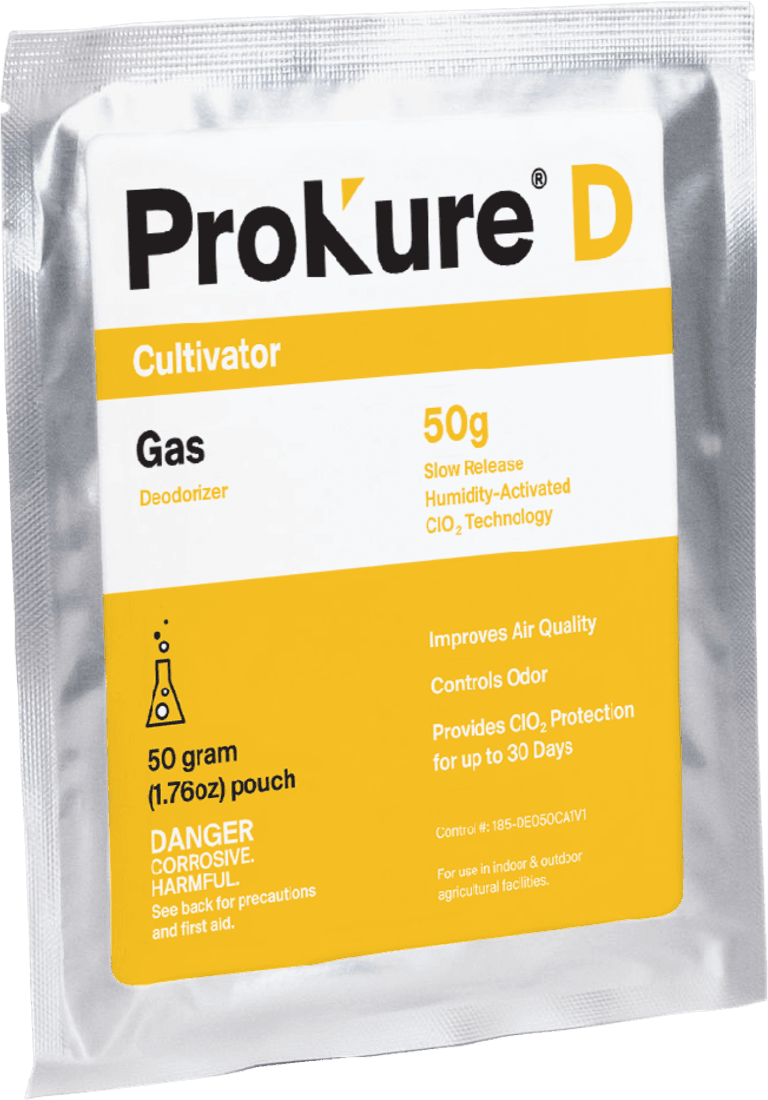
If the calculator returns a number well above 2,250 cubic feet, the answer is not automatically "stack G packets." For a large room that needs ongoing air quality rather than a one-time reset, the better tool is often ProKure D, the slow-release gas that holds air quality for up to 30 days with plants present. Use G for the acute empty-room reset and D for the ongoing layer, and size each to its own job. The ProKure G versus ProKure D decision is worth making deliberately rather than defaulting to more G packets.
Standard vs heavy mold load: which mode do I pick
The mode you choose is the single input that most changes your packet count, so it deserves a deliberate decision rather than a default. Pick standard sanitation for routine between-harvest turnover: the room came down clean, no failed test, no visible mildew, and you are resetting the air and the voids before the next crop. The 25g at 2,250 cubic feet and 10g at 1,000 are the standard-mode numbers, and they are what the calculator uses by default. Most turnovers in a well-run facility are standard-mode events, because the point of a consistent program is that rooms rarely reach the state that demands heavy dosing.
Pick heavy mold load when the room has a real problem: a positive pre-sale yeast and mold test on the last harvest, visible mildew, or a room coming off an outbreak. In heavy mode the coverage de-rates to roughly 1,000 cubic feet for a 25g and 500 for a 10g, which means more packets for the same room. That is intentional. A heavier contamination needs a higher effective gas dose, and the calculator reflects that so you are not fighting a real infestation with a routine-turnover packet count.
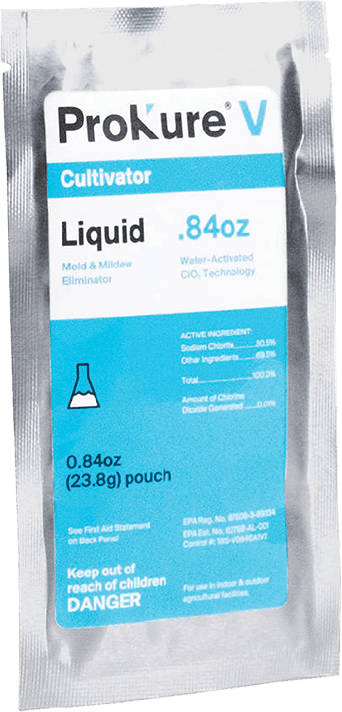
One callout that matters for compliance and for results: heavy-mode gas treatment is not a substitute for cleaning. Wet-clean hard surfaces first with ProKure V, the liquid disinfectant, then run the heavy-mode G reset on the empty room. Gas resets the air and the voids; it does not replace scrubbing visible soil and biofilm off a surface. Clean first, then gas, in that order, and the heavy-mode dose does what it is sized to do.
There is a judgment call baked into the mode choice, and it is worth being honest about it. "Heavy" is not only for a room that already failed a test. If a room has a history of trending toward its yeast and mold threshold, or sits in a humid part of the building, or shares air with a room that had a problem, treating it in heavy mode as a precaution is a reasonable call even without a positive result in hand. The cost is a few extra packets; the alternative cost is a reset that was sized for a clean room running against a dirtier reality. When in doubt between modes for a room with any risk history, size heavy and document why.
The modes also change your reorder math, which is the part procurement cares about. A facility that runs mostly standard turnovers has a predictable baseline packet count. A facility that hits heavy mode often, because it is fighting recurring pressure, burns packets faster and should budget for it rather than being surprised by it. The calculator surfaces that by returning the mode-specific count, so the supply plan reflects how the facility actually runs, not an optimistic all-standard assumption.
EPA compliance and label use
Compliance is the biggest single worry for a lot of operators sizing a treatment, so keep the facts in plain sight rather than a footnote. ProKure G is EPA-registered as a fast-release chlorine dioxide gas. The governing federal language is the one every QA lead should be able to recite: "This material is not a replacement for the product label. It is a violation of Federal Law to use EPA registered products in a manner inconsistent with the product labeling." Size and run the treatment to the label.
The restriction that shapes how you deploy G is the verbatim line "Not for use with/on plants/crops/feed." That is why G is an empty-room treatment and never a with-plants one. People, pets, and plants are out during the 4-to-6-hour dwell, and you ventilate and turn the lights on for one hour before re-entry. If you need air quality while plants are in the room, that is a different product, ProKure D, and if you need to disinfect surfaces with plants nearby, that is ProKure V. Three products, three label postures, and the calculator only sizes the empty-room gas.
A shipping note for buyers: certain reseller channels disclose a California shipment restriction on ClO2 products. If your buy destination enforces it, confirm availability before you build a supply schedule around a channel that cannot ship to your state. Pull the master label and SDS from prokuresolutions.com for your compliance file so the registration evidence is on hand at audit.
After the calculator gives you a SKU
The calculator hands you a packet count and a schedule; the next steps are activation and workflow. If you have not activated a ProKure G packet before, the four-step process is quick: tear the foil, place the inner pouch in a dispersion cup with about 1.5 inches of water, set it on a stable surface in a central location with the lights off, and allow 4 to 6 hours. Then ventilate for one hour before re-entry. A few placement hints improve the result: keep the unit about two feet from fabrics, leather, electronics, mirrors, and uncoated metals; run an air mover to increase circulation; and remember the gas works best in the dark. Record the treatment and safe re-entry time on a caution placard at the door.
For the full turnover workflow, the between-harvests protocol sequences the whole reset: strip the room, wet-clean surfaces with the liquid, run the G gas reset, ventilate, re-enter, and bring the next crop in. The calculator is the sizing step inside that larger protocol. Once you have your SKU and count, buy through shop.groclarity.com, and for deep product detail, labels, and SDS, go to prokuresolutions.com.
Multi-room and multi-facility planning
A single-room calculation is the starting point; a facility runs the same math across every room and every cycle. The rollup is straightforward: packets per room, times number of rooms, times cycles per year. A facility with eight 2,250-cubic-foot flower rooms running one 25g per room per turnover, across roughly a dozen turnovers a year, is a predictable annual packet count that rolls up to a case schedule at 12 packets per case.
For a cultivation director standardizing across a multi-state footprint, the value is one sizing rule that copies cleanly from facility to facility: measure each room, apply the standard-or-heavy divisor, round up, and log the plan. That consistency is what lets procurement set a standing order and a reorder cadence instead of guessing room by room. Bring your room dimensions and cycle counts to a GroClarity rep and the per-room calculator output becomes a facility-level supply plan, with account-level pricing for the case volumes a multi-room operation runs.
The multi-facility rollup also exposes a planning number most operations never calculate: packets per turnover versus packets per year. A single flower room that takes one 25g per standard turnover and turns over roughly once a month is about a dozen packets a year, or one case. Multiply that across rooms and the annual case count becomes a budget line rather than a series of reactive orders placed the week a room comes down. For a director running facilities in several states, documenting the per-room sizing once and rolling it up to an annual case schedule per facility is what turns ProKure G from an ad-hoc purchase into a planned input, which is exactly the standardization an MSO is trying to buy.
A short word on export and documentation: the same per-room table that feeds the supply plan is also the sizing record an auditor may want to see, showing that each room was treated at a dose matched to its volume and its contamination mode. Keep the calculated plan with the treatment log, and the sizing math and the deployment record tell one consistent story.
Frequently asked questions
These are the questions a grower sizing a ProKure G treatment asks before they buy.
How many cubic feet does one 25g ProKure G packet treat?
Up to 2,250 cubic feet for standard sanitation. For a heavy mold load, the effective coverage de-rates to about 1,000 cubic feet per 25g packet, because a real contamination needs a higher gas dose per cubic foot. Measure your room (length times width times height), pick the mode, and round up to the next full packet so you never under-dose.
How many cubic feet does one 10g ProKure G packet treat?
Up to 1,000 cubic feet for standard sanitation, and about 500 cubic feet for a heavy mold load. The 10g is the right-size packet for smaller rooms, tents, and odd-shaped spaces where two 10g units distributed evenly cover better than a single larger packet in a corner.
What if my room is larger than 2,250 cubic feet?
Use multiple packets spaced equally apart, sized to the total cubic feet and rounded up. For a large room that needs ongoing air quality rather than a one-time reset, consider ProKure D, the slow-release gas that holds air quality for up to 30 days with plants present, instead of stacking G packets. Use G for the acute empty-room reset and D for the ongoing layer.
Can I use ProKure G with plants in the room?
No. ProKure G carries the verbatim label restriction "Not for use with/on plants/crops/feed," so it is an empty-room treatment. People, pets, and plants are out during the 4-to-6-hour dwell, and you ventilate for one hour before re-entry. For air quality with plants present, use ProKure D; for surface disinfection with plants nearby, use ProKure V.
How long does ProKure G need to work?
Allow at least 4 to 6 hours for the system to work, then ventilate and turn the lights on for one hour before re-entry. It works best in the dark and with gentle air circulation to distribute the gas. Record the treatment and safe re-entry time on a caution placard so the crew knows when the room is clear.
How many packets are in a case?
A case of ProKure G contains 12 packets. The calculator returns a case count alongside the packet count, so a multi-room facility can roll per-room packet needs up to a case-level supply schedule and standing reorder.
Related resources