
Cannabis Procurement Reorder Workflow: What to Expect from Trigger to Dock
You already chose the vendor. What you need now is a reorder workflow you can hand a new hire or write into an SOP: the exact sequence from we are running low to the product is on the dock with its paperwork attached. Right now a lot of cannabis procurement runs across texts, emails, spreadsheets, PDFs, and memory, and that works until the week a room turns early or a test comes back hot. This page lays out the sanitation reorder workflow for a ProKure ClO2 program from trigger to dock, so the same steps happen the same way every time.
This is not the vendor-evaluation page, the pricing page, or the lead-time page. It is the workflow that sits between having an account and clicking reorder.
The reorder trigger: what tells you it is time
The first discipline is knowing what starts the clock, because a sanitation consumable does not trigger the same way a sellable SKU does.
Par levels for shelf-stable supplies
For shelf-stable items, a par level is the simplest trigger: set a minimum stock on hand and reorder when you hit it. Standard procurement practice, and it works for the things that just sit on a shelf.
Room-turn and activation triggers for ClO2 products
Sanitation consumables trigger on use, not just on a shelf count. A ProKure D pouch holds a room for up to 30 days, so an occupied room consumes roughly one pouch a month, which means your reorder cadence is really a function of how many rooms are running and how often they turn. ProKure G is consumed per empty-room turnover. Track the activation date on each D pouch and the turn schedule for G, and the trigger becomes predictable instead of a surprise.
Emergency triggers
A failed mold test or an unplanned room-turn is a different workflow with a different clock. When you need product on the dock in days, not weeks, flag the reorder as urgent up front so it is routed and shipped as a priority rather than queued behind routine restock. Separating the emergency path from the routine path is what keeps a bad week from becoming a lost harvest.
Who owns the reorder: roles and approvals
A workflow without named roles stalls at the first handoff. The head grower or facility manager usually raises the trigger, because they are closest to the rooms and the activation dates. The procurement or QA lead owns the request itself: SKU, quantity, ship-to, and the documentation. Owner sign-off attaches above whatever dollar threshold your operation sets. For a multi-state operator, the same role map should hold in every facility so six managers in six states run the identical SOP, which the multi-state cannabis operator guidance standardizes.
Building the PO: what the reorder request carries
A reorder request is only as good as what it carries. At minimum: the SKU, the quantity, and the ship-to address. For a regulated sanitation product, add the EPA registration number and the product-use disclosure so the compliance detail travels with the order rather than getting chased down later. ProKure V is EPA Reg. No. 87508-3-89334; ProKure G is EPA Reg. No. 87508-2-89334; ProKure D is not EPA-registered and is logged as an air-quality product, so note which you are ordering and why. Confirm your account pricing tier on the request, and state the requested delivery date against the standard lead time so expectations are set before the order is placed. A software platform can speed this up: one top procurement tool lets you "Clone POs: Easily clone and modify an existing purchase order to reorder inventory, saving valuable time and clicks." Cloning your last clean ProKure PO is a fine shortcut, as long as the EPA detail and quantities still match the rooms you are actually running.
The reorder inside shop.groclarity.com
The transaction itself happens on the store. Logged into your account, the reorder-from-history path pulls your previous ProKure order so you confirm SKUs and quantities rather than rebuilding the cart, and a saved default ship-to keeps the dock address consistent. For live pricing and to place the order, go to shop.groclarity.com, which is where checkout and reorder happen. Deep label, SDS, and EPA registration references live on prokuresolutions.com if procurement needs the source documents while building the order.
Product bridge: what you are actually reordering
Most reorders in a ProKure program are the air products, because that is where the volume is. The purchase mix in the ProKure intake runs ProKure D at 50.2 percent and ProKure G at 40.1 percent, with ProKure V at 9.15 percent. That tells you what a typical reorder cart looks like.
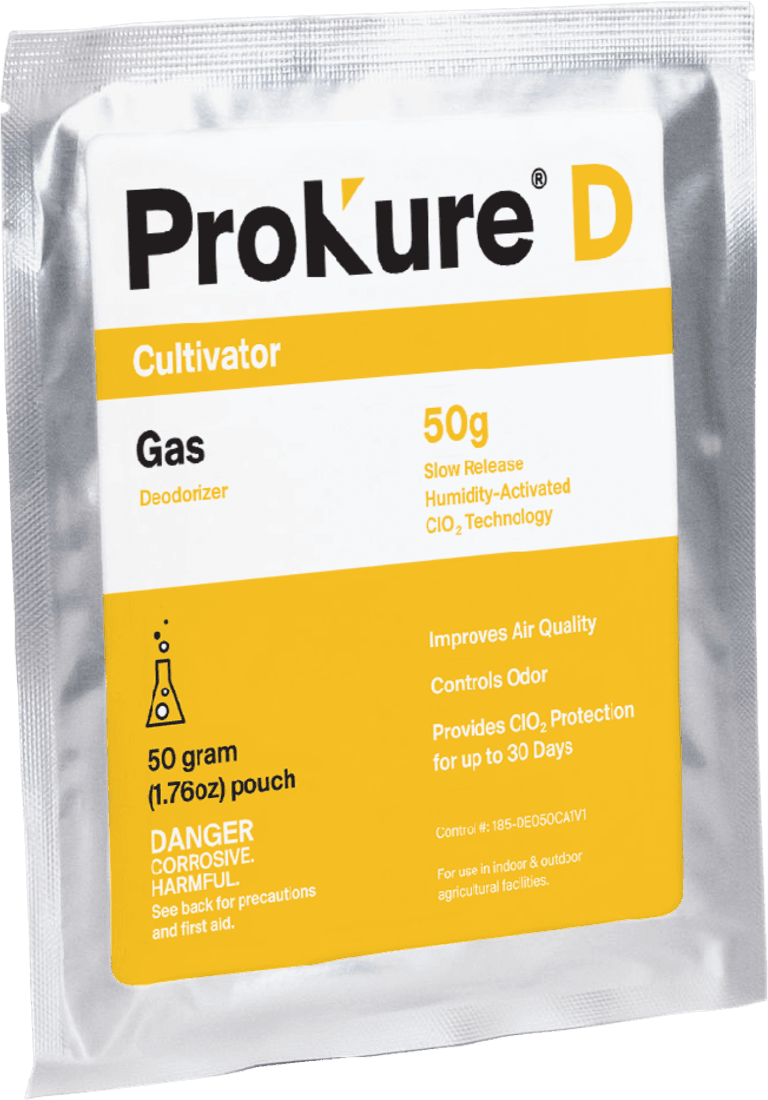
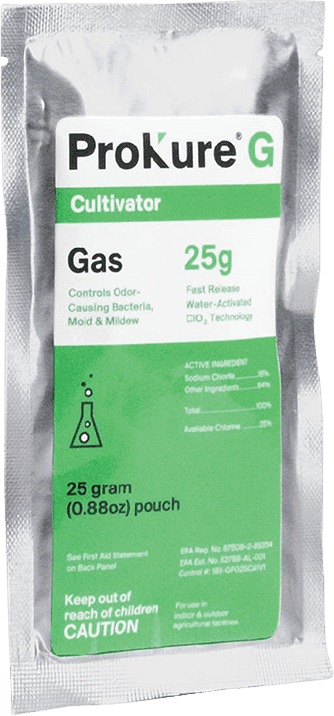
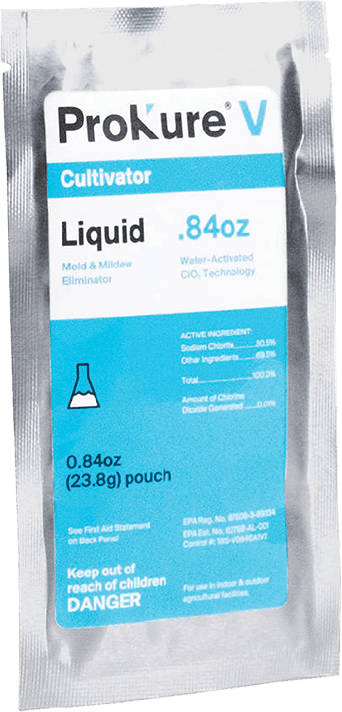
ProKure D is the slow-release ClO2 gas that improves air quality and controls odors and provides ClO2 protection for up to 30 days, running with plants in the room. It is the monthly-cadence air-quality layer, so it is the SKU most reorders center on. ProKure G is the fast-release ClO2 gas deodorizer, EPA Reg. No. 87508-2-89334, for empty rooms only, carrying the verbatim restriction "Not for use with/on plants/crops/feed," reordered on turnover cadence. ProKure V is the liquid ClO2 surface disinfectant, EPA Reg. No. 87508-3-89334, used at 10 minutes at 100 ppm on hard, non-porous surfaces, suitable for use with plants in the room because it is applied to surfaces and not the crop, and residue-free. V is the smaller share by volume but it is the disinfectant half of the system, so keep it on the reorder list, not off it. The ProKure D slow-release gas pillar and the ProKure V liquid disinfectant pillar carry the product detail.
The doc pack at receiving: where the audit file gets built
This is the leg every procurement-software page skips, and it is the one a QA lead cares about most. The reorder is not done when the box arrives; it is done when the paperwork arrives with it. A ProKure shipment should land with its SDS and EPA label documentation so the audit pack is built at the dock, not reconstructed the night before an inspection. Attach the docs to the receiving record, confirm the EPA registration number matches what the PO specified, and file it. A reorder that lands product without its SDS is a reorder that created a compliance gap, and closing that gap later is exactly the scramble this workflow exists to prevent. For how those docs fold into the broader program, see the mold prevention protocols framework.
Frequently asked questions
The questions procurement and QA leads ask most about the sanitation reorder workflow. If yours is not here, ask us. Data Driven. Grower Trusted.
Related resources
Related resources